📌 Table of Contents
🔹 Overview
🔹 What Gemini 3 Has Become: A New Stage of AI Evolution
🔹 How Gemini 3 Compares with ChatGPT
🔹 When to Use Gemini / When to Use ChatGPT
🔹 Practice: Try Choosing the Right AI for Your Task
🔹 Comprehension Quiz
🔹 Summary
🔹 Quiz Answers
🔍 Overview
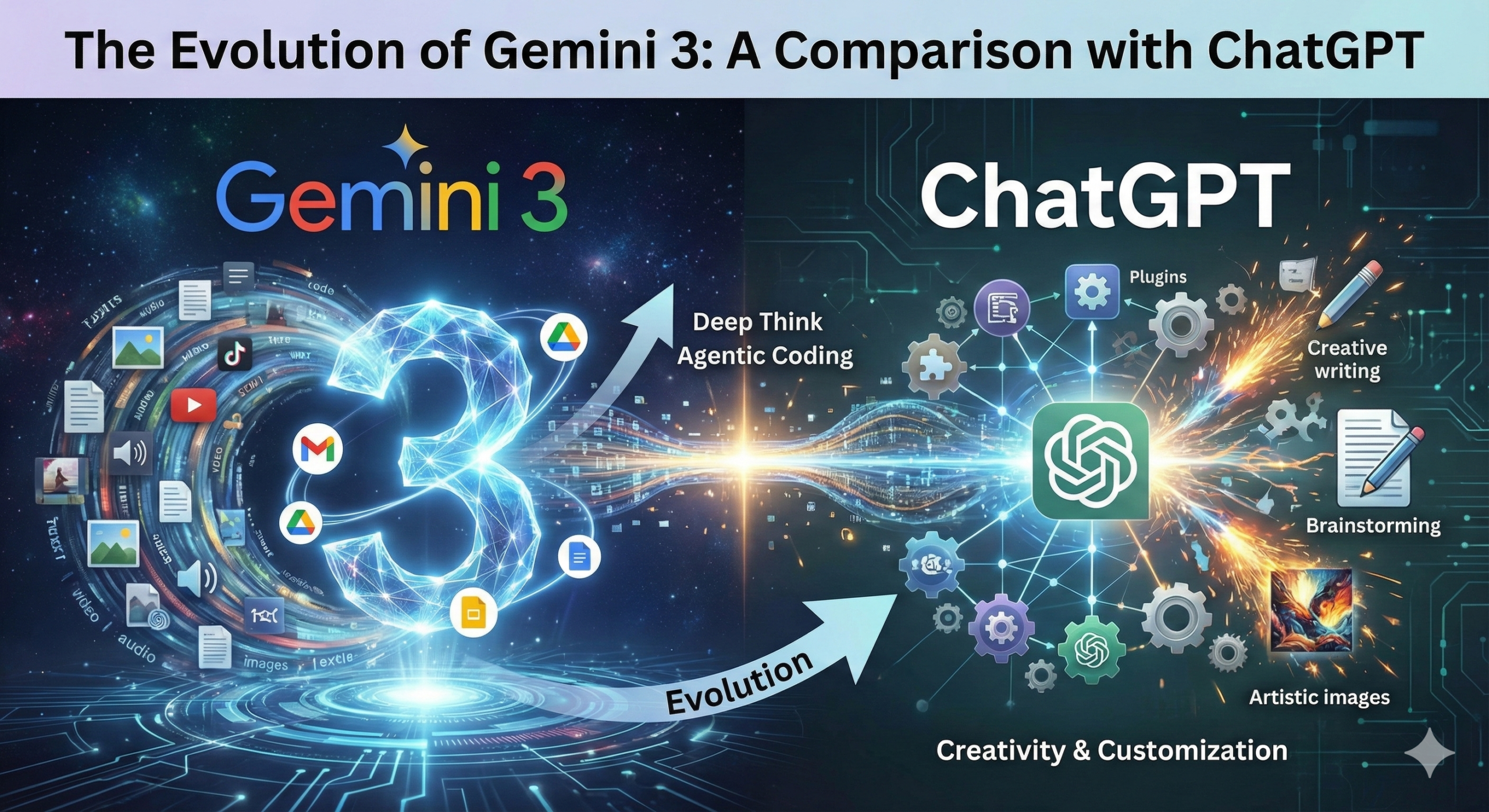
This lesson explains the major improvements introduced with Gemini 3, especially its deeper reasoning, stronger multimodal power, enhanced coding-assistant behavior, and tight integration with the Google ecosystem.
You will also learn how Gemini 3 differs from ChatGPT, what each model is best at, and how to choose the right AI tool depending on your goals in work, creativity, or everyday tasks.
📖 Lesson Start
How Gemini 3 Evolved, and How It Compares with ChatGPT
🗣 (S)
I heard that Gemini 3 is a big update, but I’m not sure what exactly changed.
Is it “just faster,” or is it something more fundamental?
🎓 (T)
Great question. Gemini 3 is not just a speed upgrade.
It represents a shift in how Google wants AI to behave.
Earlier models mainly focused on text generation and some image capabilities.
But Gemini 3 aims at something larger:
to function as a reasoning partner, a multimodal worker, and an agent that can take action.
Let’s walk through what changed, step by step.
🔹 1. Deep Reasoning Power: A Major Leap Forward
🗣 (S)
“Reasoning” sounds a bit abstract. How do I feel the improvement in real use?
🎓 (T)
Think of reasoning like the ability to solve a puzzle that has many pieces.
Older AI models could respond well when the question was simple or direct.
But complex tasks—those requiring multiple steps—were challenging.
Gemini 3 improves this in several ways:
① Multi-step logical thinking
It can follow a chain of logic:
“If A happens, then B becomes possible, and because of C, the best choice is D.”
This makes it useful for:
- Business planning
- Writing long documents
- Analysing data relationships
- Solving math or logic tasks
- Understanding cause-and-effect in complex situations
② Gemini 3 “Thinking” mode
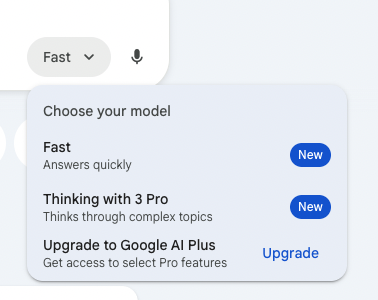
You can choose which mode to use depending on your purpose.
Thinking mode gives the model time to think more deeply before producing an answer.
It performs better in:
- Structural planning (ex. long reports, lesson plans, business frameworks)
- Mathematical reasoning
- Software architecture
- Advanced brainstorming
It feels more like talking to a colleague who takes time to consider the whole picture.
🗣 (S)
So it’s not only giving answers faster—it gives better answers?
🎓 (T)
Exactly.
Gemini 3 is designed for slow, deliberate thinking when needed, not only quick replies.
🔹 2. Stronger Multimodal Ability
🗣 (S)
I heard that Gemini is especially good with images and video.
Is that a big difference compared to earlier versions?
🎓 (T)
Yes. Gemini 3 is much more capable across different types of data.
It can read, interpret, and generate across:
- Text
- Images
- Audio
- Video
- Code
And not just individually—in combination.
Examples of practical use
- “Explain this chart and write a summary for my report.”
- “Read this scanned document and extract important points.”
- “Look at this UI screenshot and generate the HTML/CSS code.”
- “Watch this short video and describe its main actions.”
- “Generate an image for my presentation.”
This makes the model helpful for business, design, research, and content creation.
🗣 (S)
So Gemini is like an assistant who can “see” and “hear,” not only “read”?
🎓 (T)
Exactly.
Gemini 3 moves beyond writing: it becomes a tool that interacts with your world.
🔹 3. Agent-Style Behavior & Coding Support
🗣 (S)
What does “agent-style” mean? I hear this a lot recently.
🎓 (T)
Great question.
An agent is an AI that does more than answer questions—it performs tasks.
Gemini 3 takes steps toward this approach.
It can:
- Read your entire codebase
- Suggest improvements
- Modify files
- Debug step-by-step
- Explain complex code
- Help plan features
- Generate tests
Google clearly intends Gemini to be a software development partner, not just a chatbot.
🗣 (S)
So Gemini 3 is targeting engineers and technical teams?
🎓 (T)
Yes.
While anyone can use it, Google designed parts of Gemini 3 to behave like:
“an AI teammate inside your workflow.”
This is different from ChatGPT’s approach, which is strong in creativity and conversation, but Gemini 3 aims more at system-level tasks.
🔹 4. Deep Integration with Google Ecosystem
🗣 (S)
I use Gmail, Google Drive, and Docs every day.
Does Gemini 3 work smoothly with them?
🎓 (T)
This is one of Gemini’s biggest strengths.
Gemini 3 integrates deeply with:
- Gmail
- Google Docs
- Sheets
- Drive
- Calendar
- Google Search
- Android apps
This means:
- You can ask Gemini to draft emails using your Gmail history.
- It can summarise your documents in Drive.
- It can analyse spreadsheets in Sheets.
- It can schedule things using Calendar.
- It can pull real-time information using Search.
This creates fast real-world usability.
🗣 (S)
So Gemini is like an assistant living “inside” my Google life?
🎓 (T)
Exactly.
If you work in Google Workspace, Gemini feels natural and efficient.
🧭 Comparison: Gemini 3 vs ChatGPT
Now let’s compare them across several dimensions.
🔹 1. Ecosystem & Workflow Integration
Gemini
- Best for people already using Google Workspace
- Strong integration with email, documents, calendars, files
- Real-time information retrieval through Google Search
ChatGPT
- Best for people building customized workflows
- GPTs and plugins allow specialized tasks
- API ecosystem is advanced and flexible
🗣 (S)
So Gemini fits “office and business life,”
and ChatGPT fits “custom tools and creative workflows”?
🎓 (T)
Perfect summary.
🔹 2. Information Freshness
Gemini
- Uses Google Search foundation
- Very strong real-time information retrieval
- Reliable for fact-checking and up-to-date content
ChatGPT
- Mainly uses training data
- Browsing is possible, but not as deep as Google
- Sometimes slower in acquiring the latest info
🔹 3. User Experience (UI/UX)
Gemini
- Easy for Google users
- Notebook-style interface supports long, structured work
- Feels like part of your existing tools
ChatGPT
- Clean, simple interface
- Very intuitive for beginners
- Natural and human-like conversation style
🔹 4. Strengths & Ideal Users
Gemini Strengths
- Logical structure
- Data organization
- Technical documents
- Coding inside large systems
- Real-time information
- Google-integrated workflows
Ideal users:
Business professionals, researchers, engineers, and anyone who lives inside Google Workspace.
ChatGPT Strengths
- Creative writing
- Emotional expression
- Brainstorming and idea exploration
- Teaching and explanation
- Natural conversation
- Custom AI agents (GPTs)
Ideal users:
Creators, writers, planners, educators, and people who want a conversational partner for thinking.
🔹 5. Practical Usage Decision
🎓 Quick Rule of Thumb
If your goal is “work efficiency,” choose Gemini.
Because it integrates with Google Docs, Sheets, Gmail, search, and real-time data.
If your goal is “creative or conceptual thinking,” choose ChatGPT.
Because its language style, narrative ability, and expressive depth are unmatched.
🗣 (S)
So I don’t need to choose one model forever?
I can simply switch depending on the task?
🎓 (T)
Exactly. That’s the best strategy.
AI is not about choosing a single tool—
it is about knowing which tool solves which problem.
You will be far more productive when you match your task with the right model.
🛠 Practice
👉 Exercise: Choose the Best AI Model for Each Task
In this practice section, you will decide which AI—Gemini 3 or ChatGPT—is better suited for each situation.
This helps you build the practical skill of selecting the right tool in your real work or daily life.
Each task below represents a common real-world scenario.
Read them carefully and think step by step before choosing.
🔹 Task 1:You need to summarize a 40-page Google Docs report.
- It contains tables, charts, and long paragraphs.
- You want a clear executive summary you can send to your manager.
- You also want the summary saved directly into your Drive.
Question: Which AI is better for this job?
🔹 Task 2:You want to write a creative story for a YouTube video.
- The tone should be emotional and expressive.
- You want ideas, dialogue, and a consistent narrative style.
- You want the script to “feel alive.”
Question: Which AI gives better creative flow?
🔹 Task 3:You have a screenshot of a website layout.
- You want HTML/CSS code generated based on the screenshot.
- You want the AI to “see” the layout and convert it into accurate code.
Question: Which AI has stronger multimodal coding support?
🔹 Task 4:You need fresh real-time information.
- You want “today’s top AI news.”
- You want search results summarized.
- You want information that is accurate as of this moment.
Question: Which AI provides deeper real-time data?
🔹 Task 5:You need help writing a new business plan.
- You want brainstorming, idea exploration, and emotional tone.
- You need help thinking creatively about your mission and vision.
Question: Which AI is better for expanding ideas?
🔹 Task 6:You are working with complex code.
- You want the AI to understand your entire codebase.
- You want debugging, tests, and architecture suggestions.
Question: Which AI now leans more toward agent-like development support?
🔹 Task 7:You need polite emails written inside Gmail.
- You want automatic drafts.
- You want to pull details from past email threads.
- You want the emails saved in your Drafts folder.
Question: Which AI fits this workflow more naturally?
🔹 Task 8:You need emotional support through conversation.
- You want natural dialogue and gentle explanation.
- You want brainstorming and reflection on your ideas.
Question: Which AI feels more human-like in conversation?
Take a moment to think through your answers before checking the quiz section.
🎓 Comprehension Quiz
Multiple Choice (3 options each)
1. What is one of the biggest improvements in Gemini 3?
A. Faster emoji generation
B. Deep reasoning and multi-step thinking
C. Limiting responses to very short answers
2. Which model is more strongly integrated with Google Workspace?
A. ChatGPT
B. Gemini 3
C. Neither model integrates with any apps
3. Which AI is generally better for emotional storytelling and creative writing?
A. Gemini 3
B. ChatGPT
C. Both produce identical storytelling quality
4. Which AI usually provides more accurate real-time information?
A. Gemini 3
B. ChatGPT
C. Both are equal in real-time search depth
5. Which statement is correct about multimodal capability?
A. Gemini 3 improved its ability to handle text, images, audio, and video together
B. Both models can only read text
C. ChatGPT cannot analyze images
6. When should you choose Gemini 3 for your workflow?
A. When you work heavily inside Google Docs, Sheets, or Gmail
B. When you want a bedtime story
C. When you dislike organized information
7. When should you choose ChatGPT?
A. When you want strong creative brainstorming
B. When you only need spreadsheet formulas
C. When you avoid creativity at all costs
8. What is an “agent-style” feature of Gemini 3?
A. Playing background music
B. Reading and modifying code across an entire project
C. Limiting your calendar events to two per day
📌 Summary
Below is a clear, structured summary of everything covered in this lesson.
🔹 Gemini 3 introduced four major improvements
- Much stronger deep reasoning and multi-step thinking.
- Improved multimodal ability across text, images, audio, video, and code.
- More advanced agent-style behavior, especially in coding and large project support.
- Deep integration with the Google ecosystem, including Gmail, Drive, Docs, Sheets, Calendar, and Search.
🔹 Gemini 3 and ChatGPT serve different strengths
- Gemini 3 → Best for logic, structure, real-time information, business workflows, and technical tasks.
- ChatGPT → Best for creativity, expressive writing, natural conversation, and brainstorming.
🔹 Use-case guidance
- Choose Gemini 3 when working inside Google Workspace or when you need analysis, organization, or real-time data.
- Choose ChatGPT when writing stories, generating ideas, or having natural discussions.
🔹 Key idea
You do not need to choose only one model.
The most effective approach is use each model depending on the specific task.
📝 Quiz Answers
Correct Answers:
- B – Deep reasoning and multi-step thinking
- B – Gemini 3
- B – ChatGPT
- A – Gemini 3
- A – Gemini 3 has expanded multimodal ability
- A – When working in Google Workspace
- A – For strong creative brainstorming
- B – Reading and modifying code across an entire project